
 This website is here to provide you with the
necessities to


 ✿ Owner: Kayla
Please let me know if you used this tutorial.
Please do not copy my tutorial.
Please contact me if you have any questions about this tutorial.
save abr file tutorial
Sometimes brush packs are in abr files.This tutorial will teach you how to make your own abr file in Photoshop.
What you'll need:
The Steps
1. Click the brush tool. Click the little drop down arrow
Click the other little arrow

2. Click "Preset Manager"
Hold in the CTRL key on your keyboard and click all of the brushes you want in the abr file
Example:
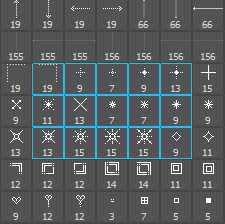
Click "Save Set", name your ABR file!
